Do I Need a Media Hub? My Daughter Thinks So…
For Top Ten Reasons Why You Need a Media Hub -The reviewer has been compensated in the form of a Best Buy Gift Card and/or received the product/service at a reduced price or for free.

When my daughter heads back to college this month, she’ll be packing up all her Apple technology along with her new media hub. While she was doing her back to school shopping, she decided that a media hub would be the most efficient and productive way to work (and play) on her Apple devices. She also suggested that I get one.
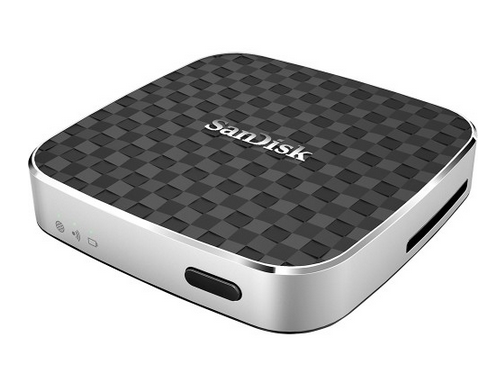
What is a Media Hub? Why You Need a Media Hub …
I wasn’t even sure what a media hub was, so I didn’t know why you need a media hub. After doing a little digging, I learned that a media hub is a wireless card reader that connects to your device via WiFi. It allows you to expand your storage capability through the use of SD cards and USB drives. In addition, media hubs can act as mobile chargers, providing supplemental power to your device. Some function as mobile routers as well.
I also learned that wireless card readers are not difficult to use. In fact, it’s literally as easy as 1-2-3. Seriously, just three steps and you’re good to go.
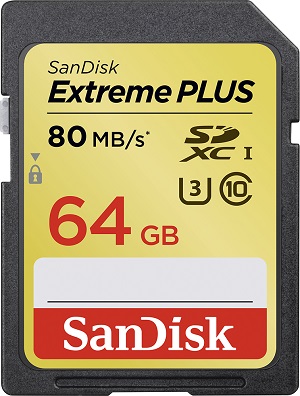
Step 1: Connect your media hub/wireless card reader to your computer and fill your SanDisk SD card (or your USB flash drive) with the media or data (or both) that you want to access.
Step 2: Install the app that goes with your media hub/wireless card reader.
Step 3: Run the app and connect it to your media hub/wireless card reader. Voila! You can now access the media or data (or both) on your device — stream video, view photos, listen to music, access documents, you name it!
I think I just might need a media hub, for a variety of reasons. Why? Never fear — I’m prepared to explain why you need a media hub.
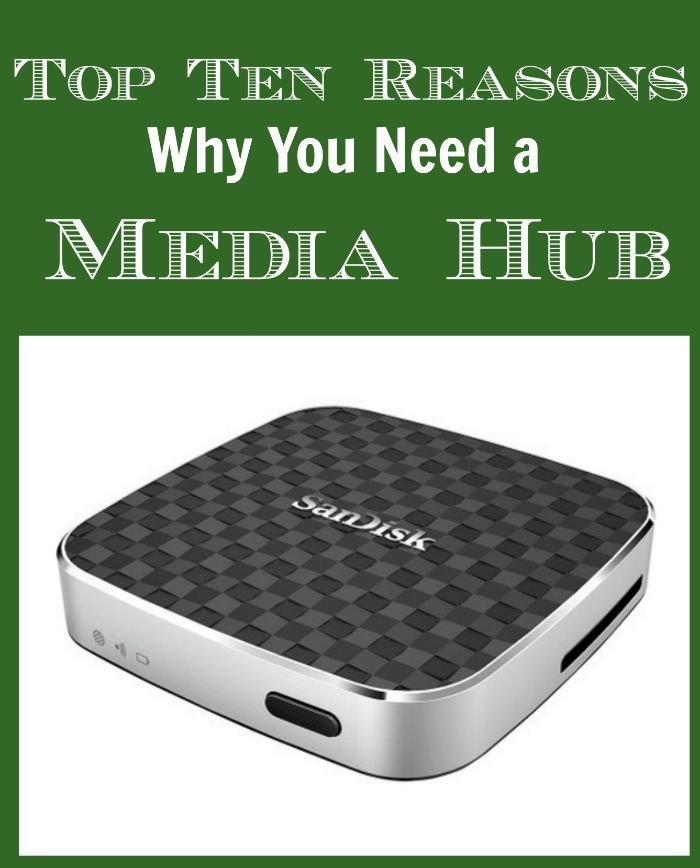
Top Ten Reasons Why You Need a Media Hub
- You simply can’t bring yourself to delete photos (and you’re running out of room on your phone).
- You don’t trust the Cloud. I think that’s pretty self-explanatory.
- You want/need to work (or play) seamlessly across multiple devices.
- You use Apple devices, which don’t have SD card compatibility.
- You want to back up the photos you have on your devices, just in case.
- You want to record videos but don’t necessarily need them stored on your phone, and you don’t want to upload them to YouTube.
- You’re a music lover with a library that is out of control — yes, you can run out of room.
- You can stream your music without draining your battery.
- You don’t want to lose your papers or, heaven forbid, your research.
- You want to share files with other users. Use a media hub and your roommate, study partner, friends, and family members can access documents, photos, and whatever files you want to share without having access to your entire system.
- You have a ton of apps and it would be a lot easier to back them up than to download them again.
Once you’ve determined why you need a media hub, you need to do two things. First, be sure to get one with the “pass-through” feature. That means your device will stay connected to WiFi while also being connected to your media hub.
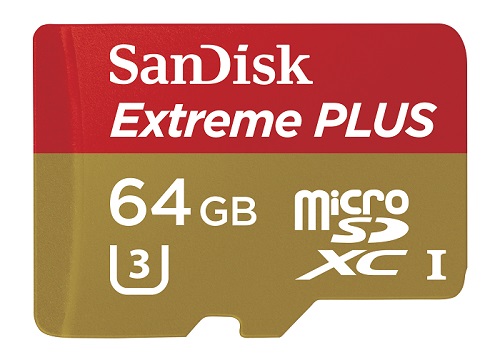
Second, you will need to pick up some SanDisk memory cards or USB flash drives. Why? Because they give you the ability to do whatever you want on your smartphone, tablet, and computer. Oh, and your camera and camcorder!
It won’t take you long to realize that a SanDisk USB flash drive/SanDisk memory card + your media hub = freedom. Ah, sweet freedom — there’s another reason why you need a media hub! And on your journey to that freedom, you can get SanDisk memory recommendations to determine (and meet) your needs.
However, when you use non-Apple products, you can choose to forego the media hub route as long as you have a SanDisk memory card. You can record even more 4K Ultra HD and Full HD video, with transfer speeds up to 60MB/s for smartphones, tablets, and action cameras. If you’re using a DSLR camera or camcorder, you will experience speeds up to 10X faster than ordinary cards, and transfer speeds up to 80MB/s. Of course, if you need photo storage recommendations, SanDisk can point you in the right direction.
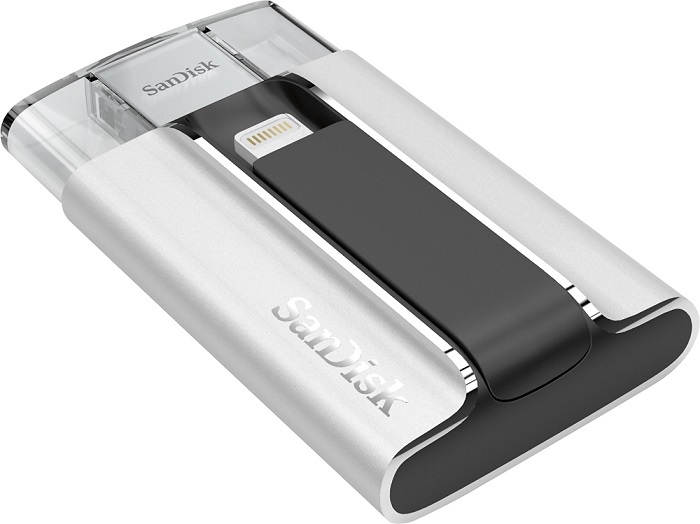
The SanDisk USB for iPhone and iPad lets you make easy transfers between your iPhone, iPad, and computers and frees up valuable (and limited) memory with both lightning and USB connectors. The SanDisk Dual USB for Android devices allows for easy transfer between your Android device and computers. SanDisk microSD cards can provide fast, reliable data storage between 4G and 200G for your smartphone or tablet.
Best Buy is your go-to place for all things SanDisk. Just pay Best Buy a visit to find the right SanDisk memory recommendations. You might need some help (I know I did!) figuring out which SanDisk memory card or USB flash drive is right for your storage needs, whether it’s your smartphone, your camera, your camcorder, your tablet, your computer, or your media hub — or all of the above!
I don’t have a smart phone…will this work with a laptop?
The Media Hub is something a lot of People That I know should have. They are constantly on their cell taking and posting pictures on Face Book and Instagram. Texting , Chatting on social media . doing all their banking and what ever else they can do on their cell! Lol! I don’t know where they squeeze in any other type of life’s things to do! lol! I only go on my Phone to text or call someone. That’s enough. I use my computer for Fb , contests etc. So the Media Hub is not for me! But it could be very useful to others.
Thanks now I know what it is I should probably get it.
Okay, you’ve sold me! I am going to look into this ASAP!
Thank you for this clear explanation of what a media hub is. Much better then some other explanations that I’ve read.
Media hubs are a great idea — especially with my Mac mini that doesn’t have a CD player.
At some point I may get a media hub. I love the idea of not running out of room for my apps and my music. Thanks for the explanation.
These are good reasons for a Media Hub and I shall have to consider getting one too.
I didn’t know what a media hub was either. I like the idea of having backup for photos. I will have to look into this more.
My husband is the computer geek of the family and probably knows all about this device, but from reading the review I think we need one just for the photo back up. Thanks.
I don’t think I need one, but I do think my son who is in college and has everything techy under the sun, could definitely use one. Thanks for the info, until now I didn’t know what one was either.
Wow!! This would be AMAZING for my hubby who does photography!! So cool!! Ive never heard of it before! I will have to let him know! We are quickly running out of space on pretty much everything lol!!
Ok, so I am not the only mom on the planet that didn’t know what a media hub was! My kids are always telling me what I need when it comes to technology.
Chief Blonde, I was very happy in my ignorant world of very little technology. Now, I know I need a media hub. My brain is cramping with all this knowledge you bestow on me. Stop it! There is not much room left up there. I would rather fill what little space I have left with clothes and jewelry. LOL!
Well let me solve all your tech issues, and then you can fill your brain with FASHION!
I had no idea what a Media Hub was either! Thanks so much for educating me on this and for all the great info!
I think a media hub is a great idea, I definitely do not trust the cloud. Thank you for sharing this post, I found it very informative.
I didn’t know what a media hub is either. That is such a cool device! Now I want one!
Those are some good reasons. Thank you for sharing.
I would love to try a Media Hub. I have a ton of devices and SD cards. My kids would use it as well.
My kids are going to college this year. I will have to get them each one of these Media Hubs.